SaneBox AI Bundle: What It Is and How to Turn It On
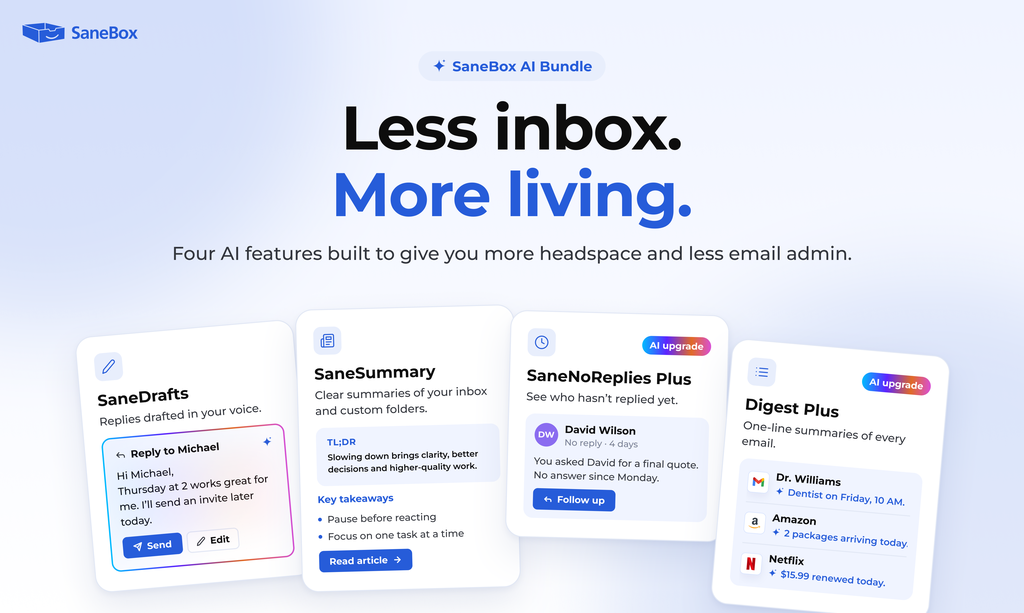
The SaneBox AI Bundle helps you spend less time writing replies, catching up on email, and keeping track of conversations that need a response. It includes SaneDrafts, SaneSummary, SaneNoReplies Plus, and Digest Plus.
Together, these features help you draft replies in your voice, summarize emails and threads, identify conversations that may need a follow up, and review your Daily Digest more quickly.
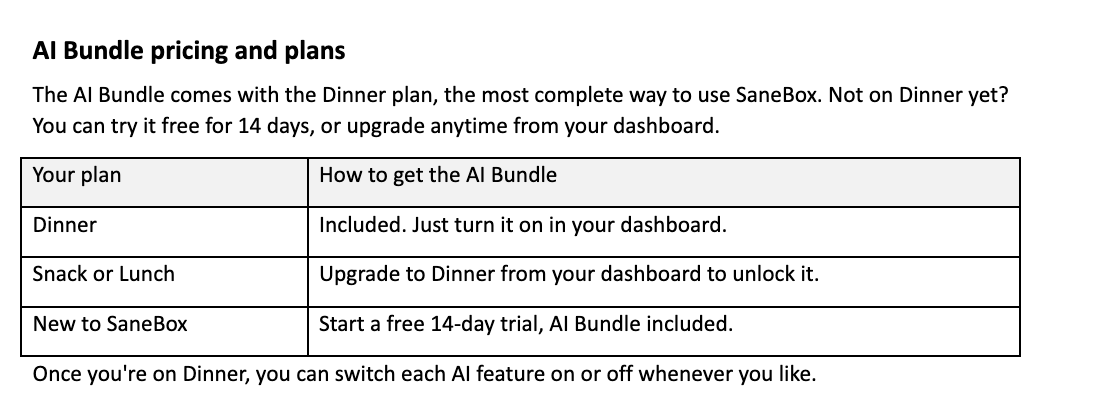
The AI Bundle is included with the Dinner plan. Each feature is optional, so you can turn on the tools that work for you.
What’s included in the SaneBox AI Bundle?
SaneDrafts:
AI email replies in your voice SaneDrafts prepares suggested replies for you to review, edit, and send. It can help with everyday messages such as scheduling, quick updates, and confirmations. Drafts appear in your regular Drafts folder, so you can review them in the email app you already use.
SaneDrafts never sends emails automatically. Always check the details and make any changes you’d like before sending.
SaneSummary
Summarize email threads and folders SaneSummary helps you catch up without reading every message from beginning to end. Use it to summarize messages collected in a summary folder. It can help you find the main points, important updates, and items that may need your attention.
For folder summaries, choose your delivery schedule and move the emails you’d like summarized into your summary folder.
SaneNoReplies Plus
Keep track of email follow ups SaneNoReplies Plus adds AI assistance to SaneNoReplies, helping you focus on conversations where you may still be waiting for a response.
Smarter reply tracking helps recognize messages that probably don’t need an answer, such as a simple “Thank you” or “FYI.” This keeps your follow up list more useful. Short conversation summaries provide context when you’re ready to decide whether to follow up.
Digest Plus
Scan your Daily Digest with AI summaries Digest Plus adds a brief AI summary to messages in your Daily Digest, giving you more context before you open an email.
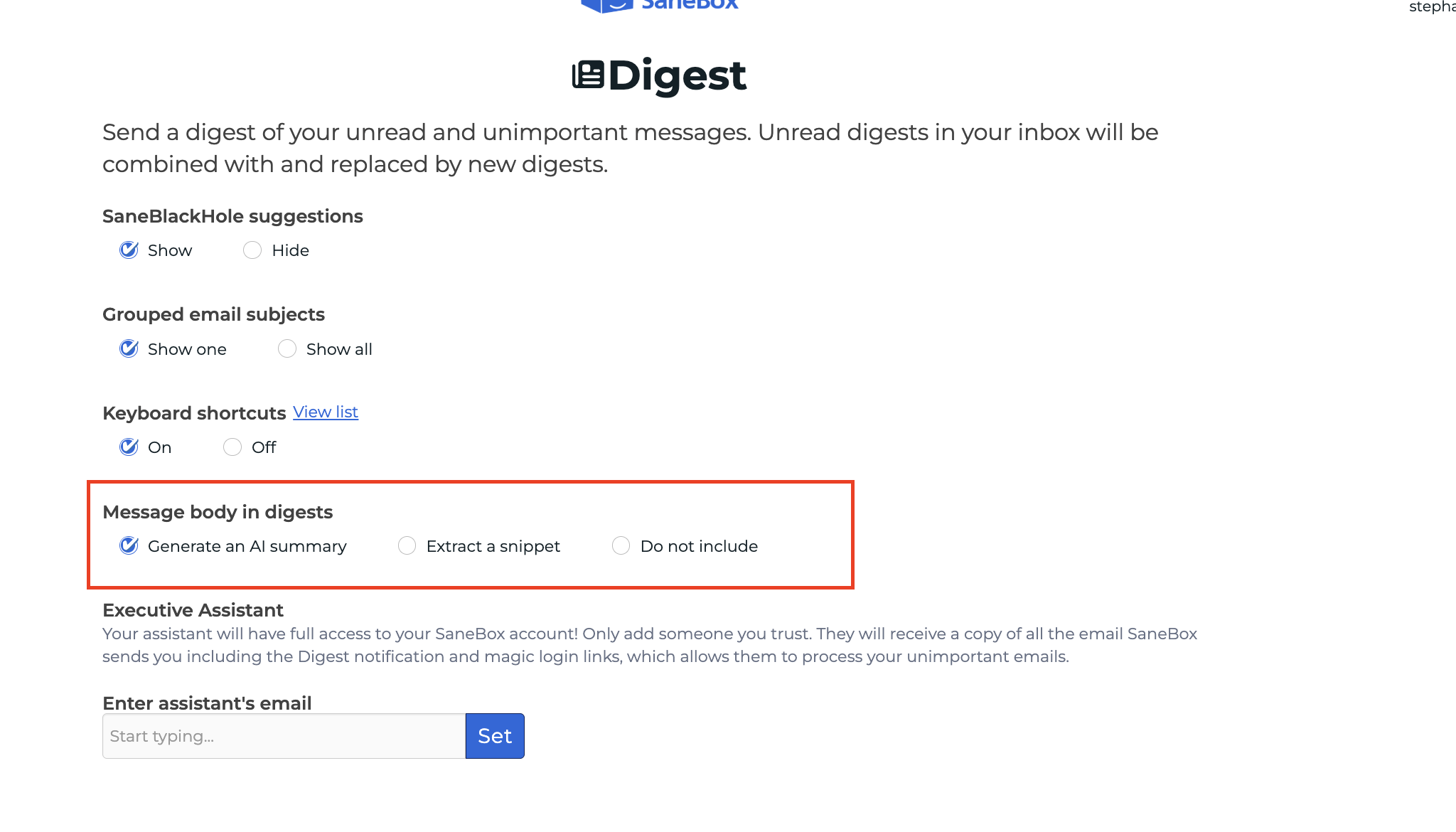
These summaries help you review lower priority messages and decide which ones need a closer look. You can find it currently here.
How to turn on the AI Bundle
- Log in to your SaneBox dashboard.
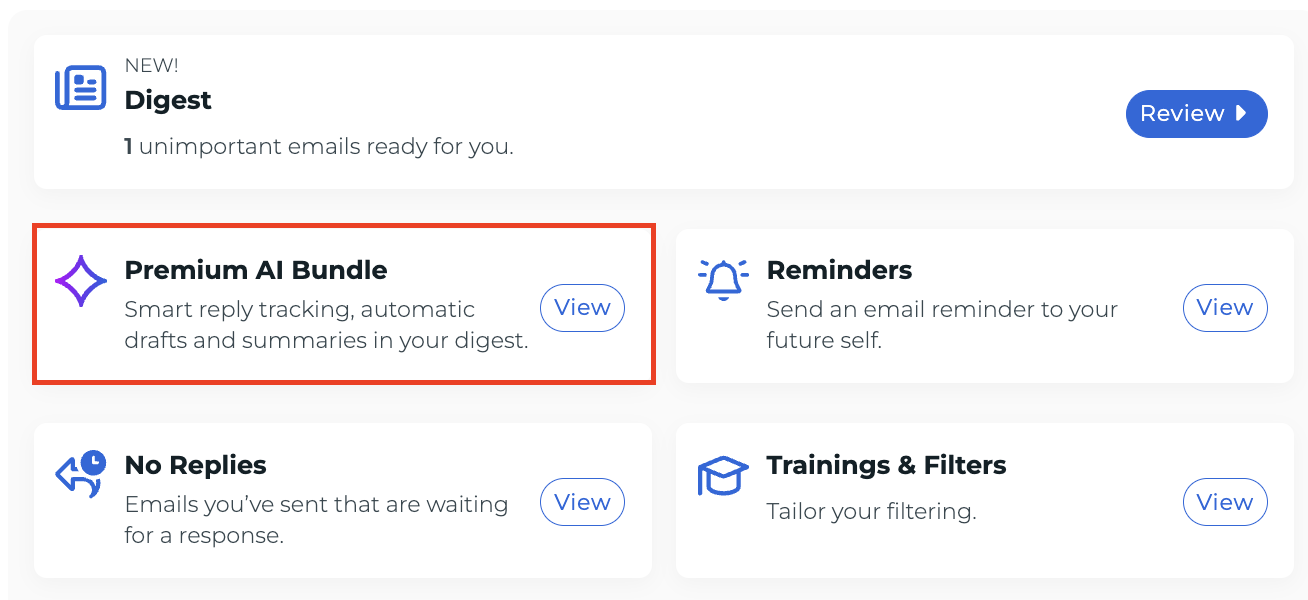
- Find the AI Bundle and select View AI Bundle.
- Turn on the AI features you’d like to use.
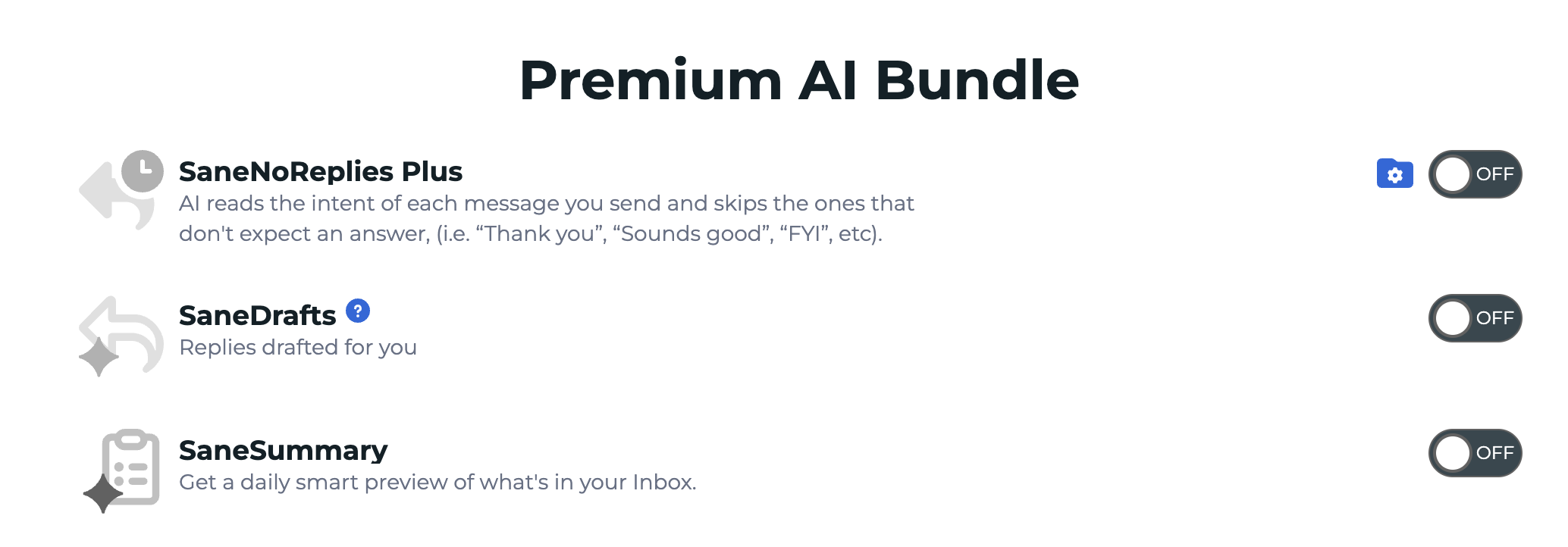
- If you enable SaneSummary, choose your summary delivery schedule and set up your summary folder.
 You can enable each feature separately. You don’t have to use all four.
New to SaneBox? Start a free trial to try the AI Bundle for 14 days.
AI Bundle FAQ
How do I get the SaneBox AI Bundle?
- Go to your SaneBox dashboard and activate the AI Bundle. The AI Bundle is part of the Dinner plan.
- Already on Dinner? Just switch it on, which takes about 30 seconds.
- On Snack or Lunch? Upgrade to Dinner and the AI Bundle is ready to go.
New to SaneBox? Start by signing up.
Can I try the AI Bundle for free?
Yes, you can try the AI Bundle free for 14 days. If it’s not for you, cancel in one click.
How does the AI Bundle use my email data?
All AI features are opt-in. If you turn one on, SaneBox processes only the email content needed for that feature, such as the thread being summarized or the message being replied to. SaneBox never uses your email to train AI models, never stores the full body of your emails after processing, and never shares your data with third-party AI providers or advertisers. If you don’t opt in, SaneBox continues to access only your email headers.
Read the full privacy policy.
Will SaneDrafts send emails without me?
No, you’re in control. Every draft, summary and suggestion is just a suggestion. Nothing is sent or changed without your approval, and you can edit or discard any draft.
Which email providers work with the AI Bundle?
The AI Bundle works with every provider SaneBox supports:
Gmail, Microsoft 365, Apple iCloud, Yahoo Mail, Fastmail, and any IMAP, Microsoft Exchange or ActiveSync server.
Can I turn off AI features after trying them?
Yes. You can turn off any AI feature at any time in your SaneBox settings, or contact privacy@sanebox.com.
What’s the difference between SaneNoReplies and SaneNoReplies Plus?
SaneNoReplies collects the emails you’ve sent that haven’t had a reply.
SaneNoReplies Plus adds AI: it shows only the emails that actually need a follow-up, with a short summary of each conversation.