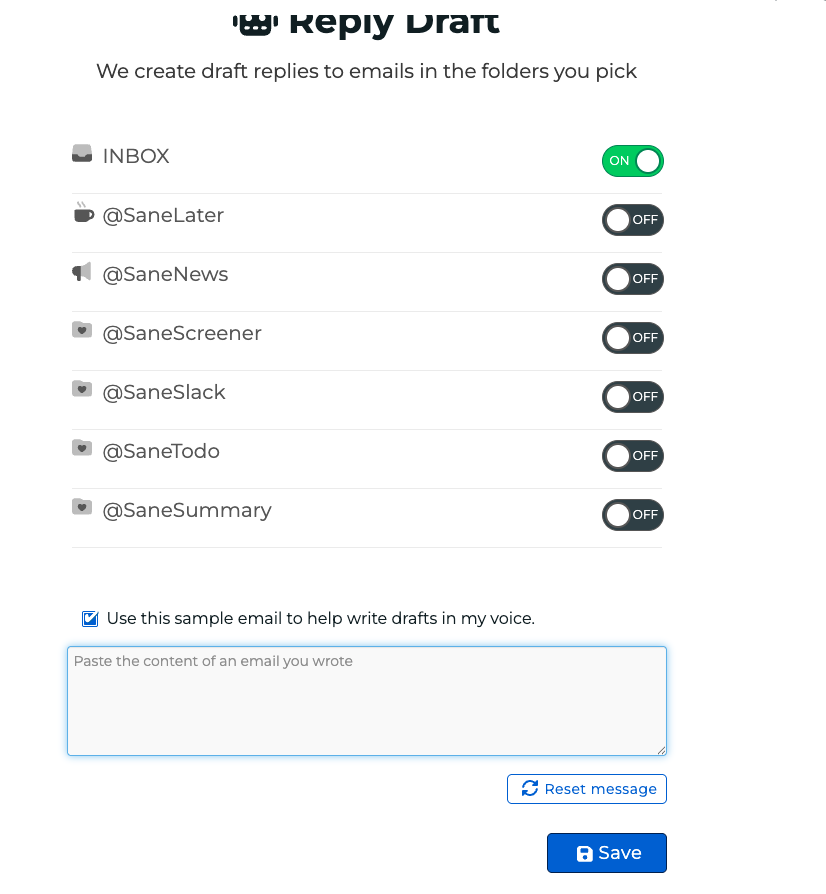
What is Reply Draft?
Reply Draft (SaneDrafts) is an AI-powered feature that automatically creates reply drafts for your emails — written in your tone and style.
Instead of starting from scratch, you’ll get a thoughtful draft you can quickly review, tweak if needed, and send.
It’s designed to help you:
- Respond faster
- Reduce mental load
- Stay consistent in tone
- Get through your inbox more efficiently
- You’re always in control — nothing sends automatically.
How It Works
- Enable Reply Draft from your SaneBox Dashboard.

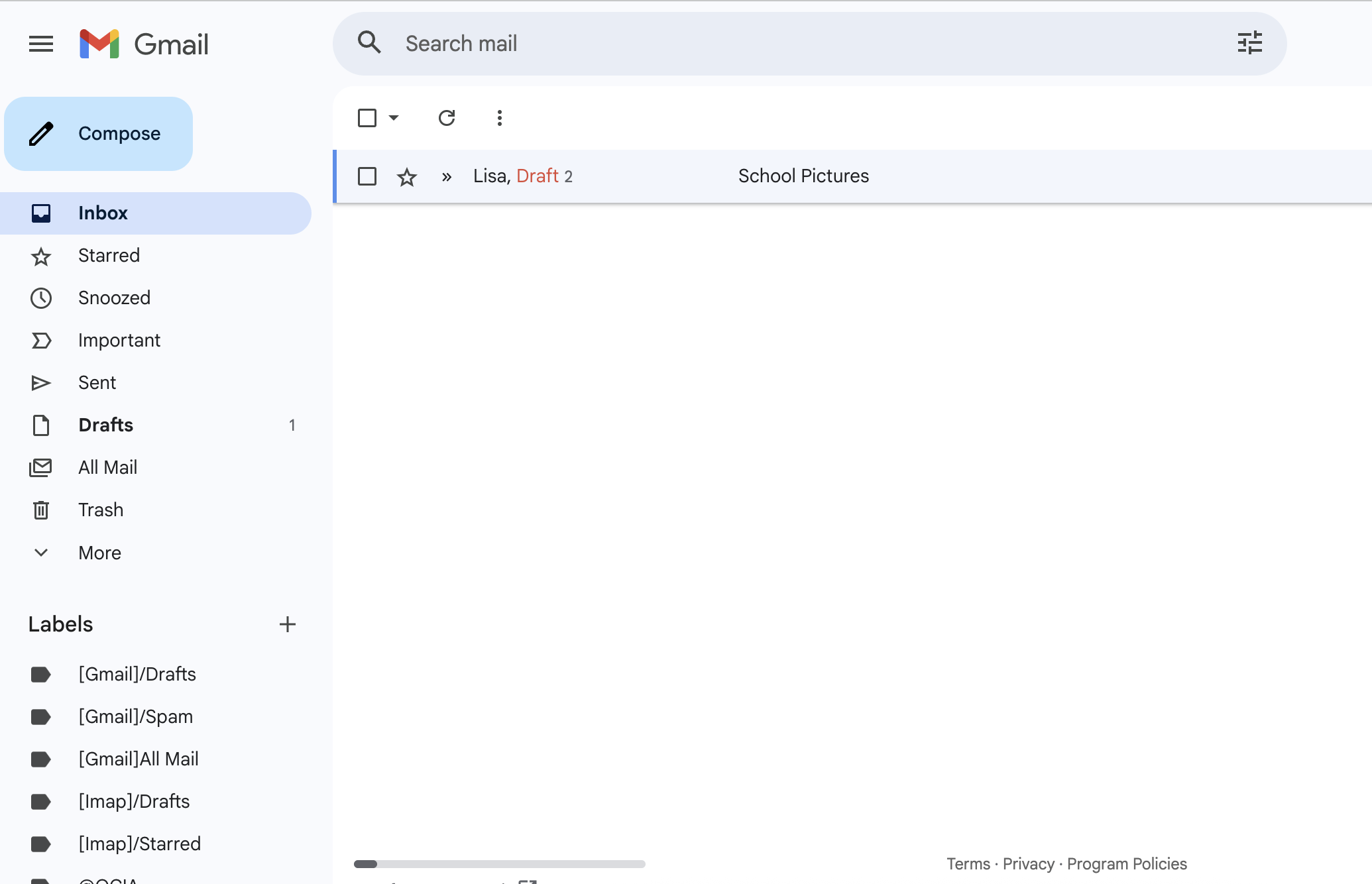
- When a new email arrives, Reply Draft generates a reply draft.
- The draft appears in your Drafts folder.
- You review it, edit if needed, and hit send.
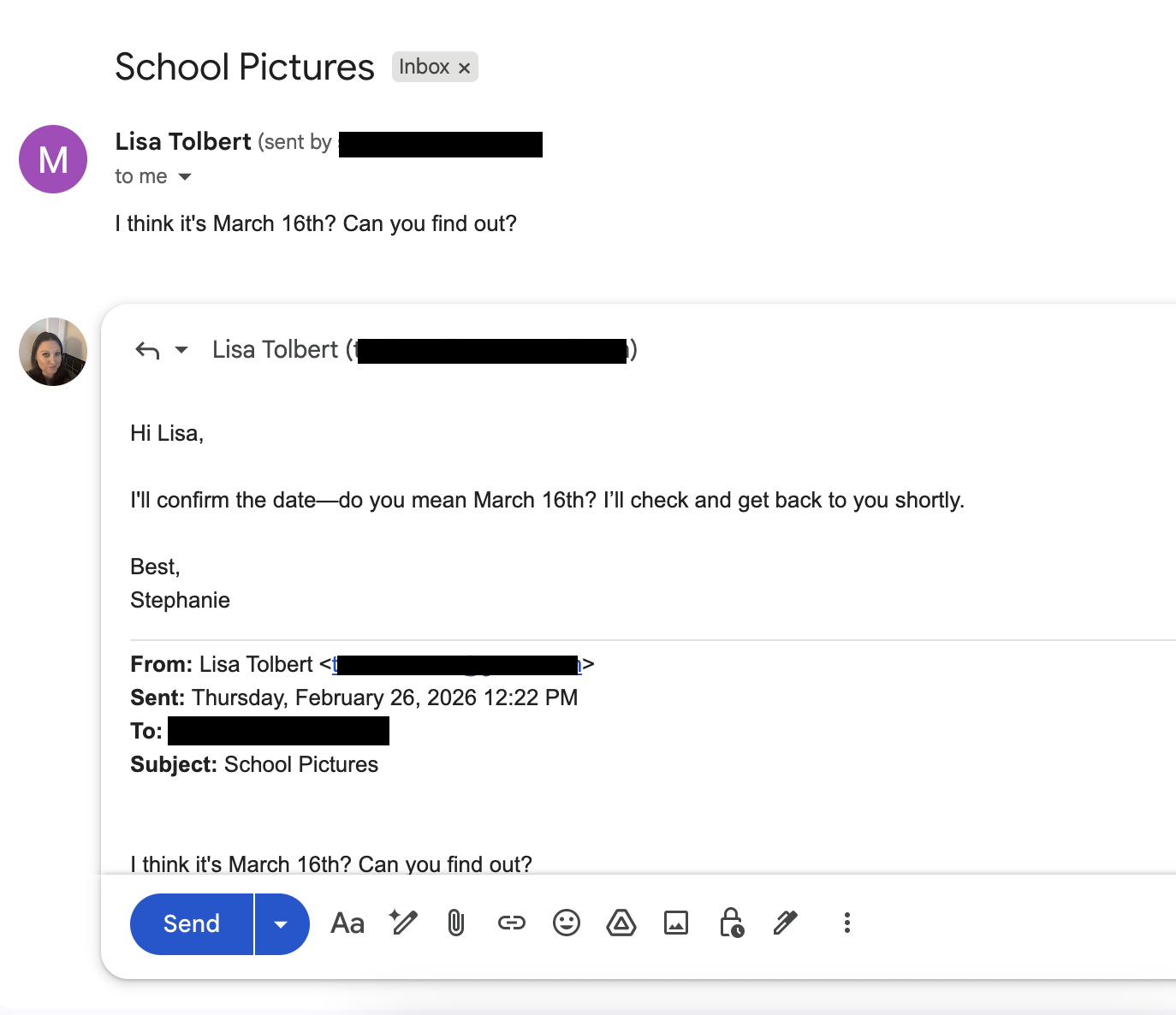
That’s it — no new app to learn.
Can I Control Which Emails Get Drafts?
Currently, Reply Draft generates replies for emails where a response appears appropriate.
Is My Data Private?
- Yes.
- Drafts are generated securely.
- SaneBox does not sell your data.
- Your emails are processed only to provide the feature.
- Drafts are never sent automatically.
(For full details, see our Privacy Policy.)
How to Improve Draft Quality
If a draft isn’t quite right:
- Edit it before sending — this helps the system adapt.
- Keep your sent emails consistent in tone.
- Reach out to support if drafts are consistently off-tone.
We’re actively improving the feature based on user feedback.
Frequently Asked Questions
Q: Will this send emails automatically?
A: No. You always review and send manually.
Q: Does this work with Gmail, Outlook, and Apple Mail?
A: Yes — drafts appear in your normal Drafts folder.
Q: What if I don’t like a draft?
A: Edit it or delete it. You’re in full control.
Q: Is this included in all plans?
A: SaneDrafts is available on plans that include AI features.
Why Didn’t a Draft Get Created?
If you were expecting a draft but don’t see one in your Drafts folder, here are the most common reasons:
The Email Was a Service or Automated Message
Reply Draft does not create replies for automated emails such as:
- Receipts or invoices
- Shipping notifications
- Newsletters
- System alerts
- Marketing emails
These typically don’t require a personal response.
You Already Replied
If you’ve already responded to the email, Reply Draft will not generate a draft.
The AI Determined No Reply Was Needed
Not every email requires a response.
If the system determines that:
- The email is informational only
- You were CC’d without action required
- A reply wouldn’t add value
The Feature Isn’t Fully Enabled
Make sure:
-
Reply Draft is turned on in your Dashboard
-
After activation, drafts typically appear within 10–15 minutes of a qualifying email arriving.
The Email Is Too Short or Lacks Context
If an email contains very little information (e.g., “Thanks” or “See below”), the AI may not have enough context to generate a useful response.
If you believe a draft should have been created and wasn’t, feel free to contact support — we’re happy to take a look.
I need this in my voice.
In our latest update, you can now fine tune SaneDrafts to draft responses using your own tone and style.