Microsoft has restricted access to Exchange Web Services (EWS) for many Microsoft 365 accounts. As a result, SaneBox can no longer process email using the older EWS connection method. If your account was connected using EWS, your SaneBox account has been temporarily disabled and email filtering is currently paused.
To restore service, simply reconnect your account using Microsoft Graph, Microsoft’s modern and recommended authentication platform.
Reconnect Your Account
Reconnect your Microsoft 365 account by visiting:
Once connected, SaneBox will automatically resume processing your email.
Why is this happening?
Microsoft is actively transitioning customers away from legacy Exchange Web Services (EWS) in favor of Microsoft Graph. This change provides:
- Improved security and account protection.
- Better reliability and long term compatibility with Microsoft 365.
- Faster, more stable synchronization.
- Support for future SaneBox AI features and enhancements.
We delayed disabling EWS connected accounts for as long as possible and worked to maintain compatibility, but Microsoft’s platform changes now require all affected accounts to migrate to Microsoft Graph.
What happens after reconnecting?
After reconnecting with Microsoft Graph:
- SaneBox filtering resumes automatically.
- Your existing folders, training, and settings remain intact.
- No retraining or reconfiguration is required.
If Your Organization Requires Administrator Approval
If your Microsoft 365 account is managed by your company or organization, you may see a message stating that administrator approval is required before you can reconnect.
In that case, please contact your Microsoft 365 administrator and ask them to approve the SaneBox Microsoft Graph integration.
Administrator Instructions
A Microsoft 365 administrator can allow users throughout the organization to connect SaneBox by following these steps:
- Contact support@sanebox.com to confirm these instructions are appropriate for your organization.
- Visit:
https://www.sanebox.com/microsoft_graph/enroll/office365 - Sign in with a Microsoft 365 administrator account.
- Select “Consent on behalf of your organization.”
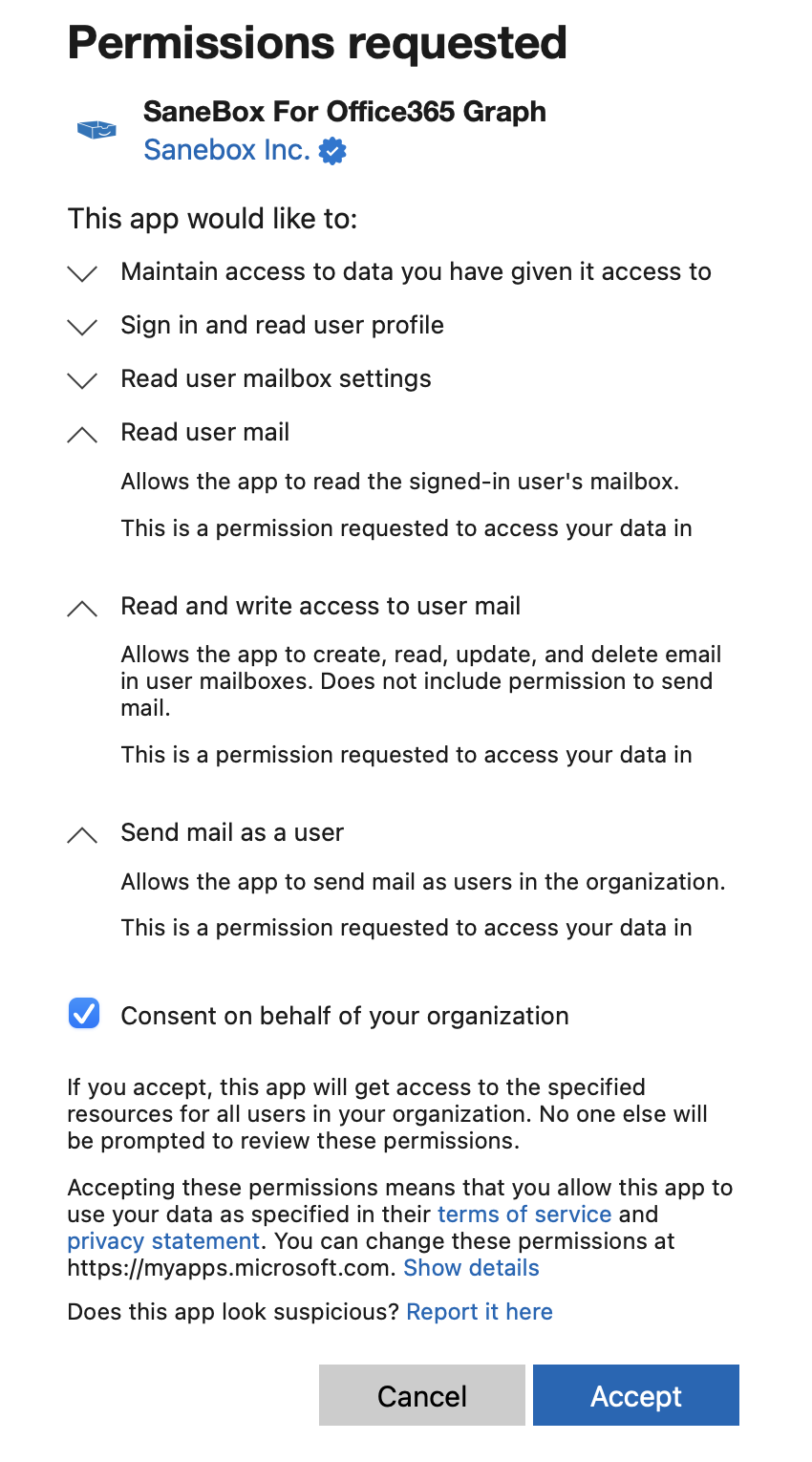
- Click Accept.
Important
Approving the application does not give SaneBox access to anyone’s mailbox.
It simply allows individual users within your organization to authorize SaneBox for their own mailbox when they choose to connect their account.
The SaneBox Microsoft Graph Application ID is:
d2f82c24-a2f3-4d37-84f5-de8e555ca003
Need Help?
If you have any questions or run into any issues during setup, our support team is happy to help.
Please contact support@sanebox.com and we’ll be glad to assist.