How to Cancel Your SaneBox Account and Request a Refund
You can cancel your SaneBox account at any time from your account settings. Here’s what to expect when you cancel, including what happens to your SaneBox folders and how to request a refund if you’re eligible for our 30-day money-back guarantee.
How to Cancel Your SaneBox Account
- Log in to your SaneBox account.
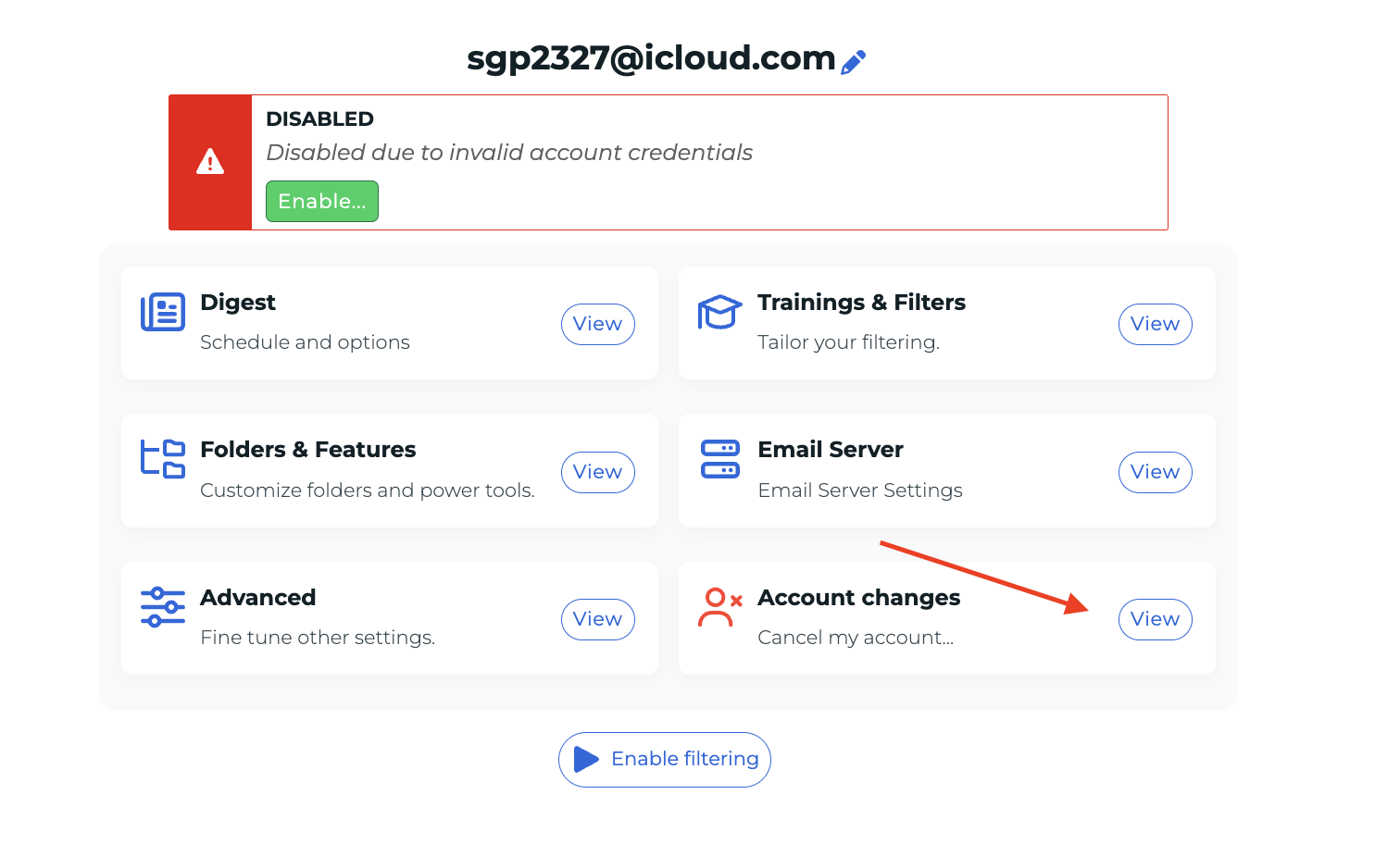
- Go to the Settings page for the email account you want to cancel.
-
Find Account changes and click View.
This is where you’ll find the option to cancel your SaneBox account.
- Choose to cancel your account
- Follow the prompts to begin the cancellation process.
- Review your options
- SaneBox may offer troubleshooting suggestions based on your reason for canceling. You can try one of these options or continue with your cancellation.
- Choose what happens to your SaneBox folders
- You’ll have the option to keep or remove your SaneBox folders. If you choose to remove them, SaneBox will return the emails from those folders to your Inbox.
- Follow the final prompt to confirm.
- We’ll send you an email when your cancellation is complete.
What Happens to My SaneBox Folders?
During cancellation, you can choose what you’d like SaneBox to do with folders such as @SaneLater, @SaneNews, and @SaneBlackHole.
-
Keep my folders
- If you choose to keep your SaneBox folders, the folders and the emails currently inside them will remain in your email account.
-
Remove my folders
- If you choose to remove your SaneBox folders, SaneBox will return the emails from those folders to your Inbox and remove the SaneBox folders.
- Depending on your email provider, the removed folders may temporarily appear in Trash or Deleted Items.
- If you choose to remove your SaneBox folders, SaneBox will return the emails from those folders to your Inbox and remove the SaneBox folders.
Why Are My SaneBox Folders in the Trash?
If you chose to remove your SaneBox folders during cancellation, seeing the folders in Trash or Deleted Items is expected. Your email provider may place deleted folders there temporarily rather than removing them immediately. This does not mean the emails inside your SaneBox folders were deleted. SaneBox returns the emails to your Inbox as part of the folder-removal process.
Does Canceling SaneBox Automatically Give Me a Refund?
No. Canceling your SaneBox account does not automatically issue a refund. If you cancel partway through a paid subscription period, the unused portion of your subscription is not automatically refunded. Canceling and requesting a refund are two separate actions.
SaneBox’s 30-Day Money-Back Guarantee
- SaneBox offers a 30-day money-back guarantee for eligible purchases.
- If you’re within 30 days and would like a refund, you’ll need to contact SaneBox Support and request one. A refund is not automatically processed when you cancel your account.
- You can submit a support request, and our team will be happy to review your refund request.
Need Help?
If you’re canceling because SaneBox isn’t working as expected, feel free to contact SaneBox Support before canceling. We may be able to help with filtering problems, account setup, billing questions, or other issues.
If you’ve already canceled and need help with your folders or want to request a refund under the 30-day money-back guarantee, you can contact us as well.